> ## Documentation Index
> Fetch the complete documentation index at: https://docs.augmentcode.com/llms.txt
> Use this file to discover all available pages before exploring further.
# Install Augment GitHub App
> Connect your GitHub repositories to Augment for Code Review, Remote MCP, and Slack
The Augment GitHub App provides repository access for:
* **Augment Code Review** — automated PR reviews
* **Remote MCP Server** — cross-repo context for AI tools
* **Augment for Slack** — codebase-aware Slack bot
All three features share the same GitHub App installation. If you've already installed the app for one feature (e.g., Code Review), you don't need to install it again for the others.
The Augment GitHub App is compatible with GitHub Enterprise Cloud and github.com. GitHub Enterprise Server is available as an enterprise-only feature. See [GitHub Enterprise Server Setup](/setup-augment/setup-github-enterprise-server) for details.
## Installation
**Important:** Always install the Augment GitHub App through [app.augmentcode.com](https://app.augmentcode.com) rather than directly from GitHub. Installing directly from GitHub will not establish the proper connection between your Augment tenant and the GitHub App, which may cause integration issues.
Install the Augment GitHub App from the Customer UI to link your Augment account to the GitHub App:
1. Visit one of the following configuration pages:
* [Code Review Configuration](https://app.augmentcode.com/settings/code-review) — for Code Review setup
* [MCP Configuration](https://app.augmentcode.com/mcp/configuration) — for Remote MCP Server setup
2. Click on the **Install GitHub App** button to begin the installation process.
3. Grant access to your desired repositories.
Organization owners and repository admins can install the app directly; others will need owner approval. See [GitHub documentation](https://docs.github.com/en/apps/using-github-apps/installing-a-github-app-from-a-third-party) for details.
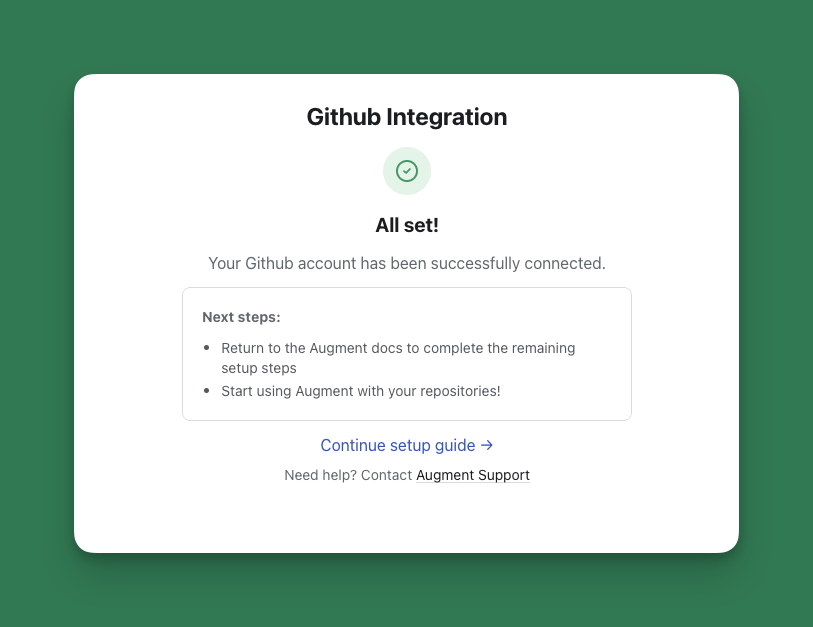
Once you finish installing the GitHub app, you should see a green checkmark with the text "All set!". You will then be automatically redirected back to the Augment settings page, which should now show a green "Installed" badge. If you do not see either of these, you may need to uninstall the app through GitHub and reinstall it. See [Troubleshooting](/codereview/troubleshooting#stuck-on-install-button) for more help.
 If you have already installed the GitHub App directly from GitHub, you may need to uninstall it and reinstall it through the proper channels above to ensure the connection between your Augment tenant and GitHub App is established correctly.
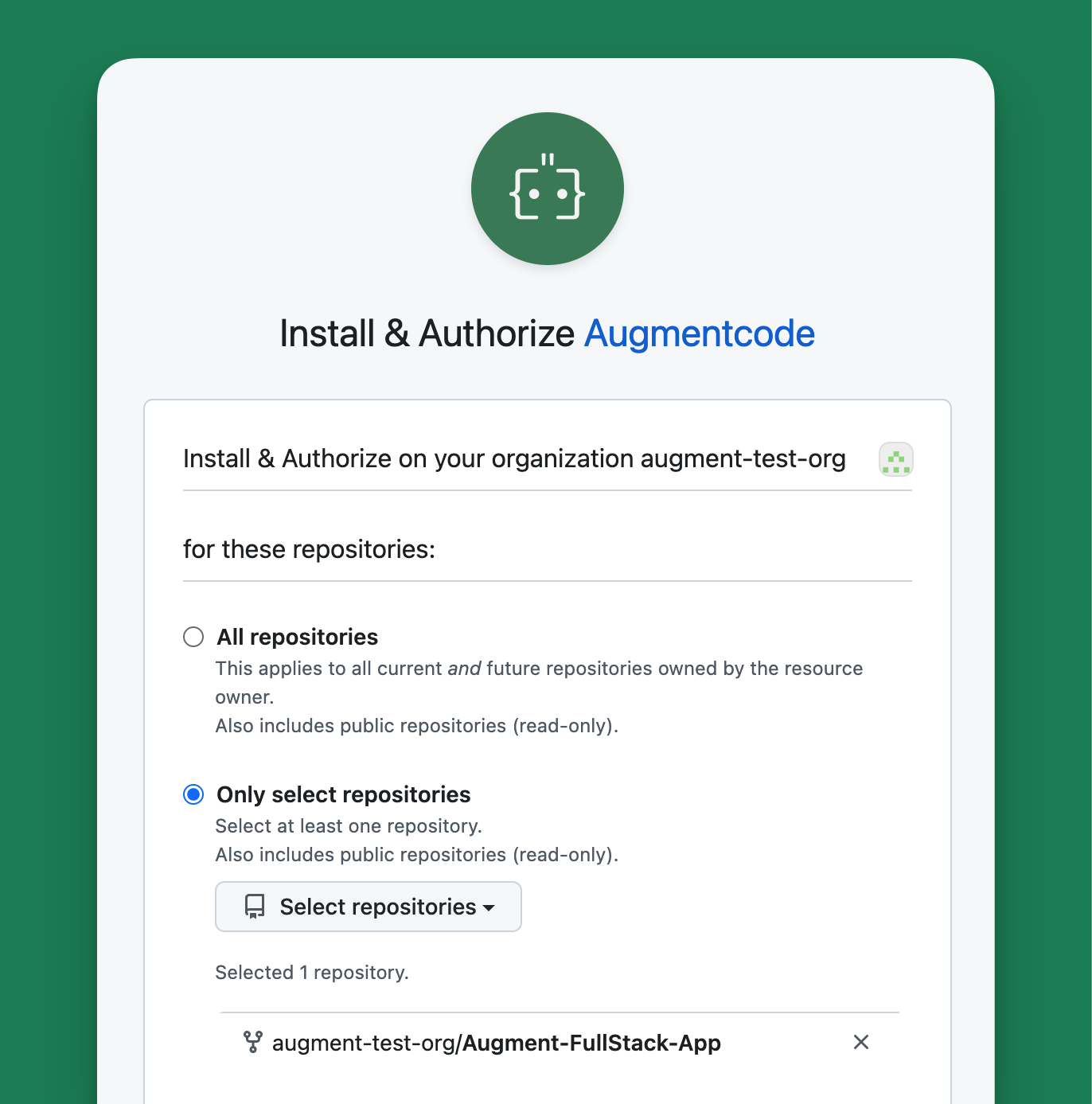 You can modify repository access anytime in the Augment GitHub App settings.
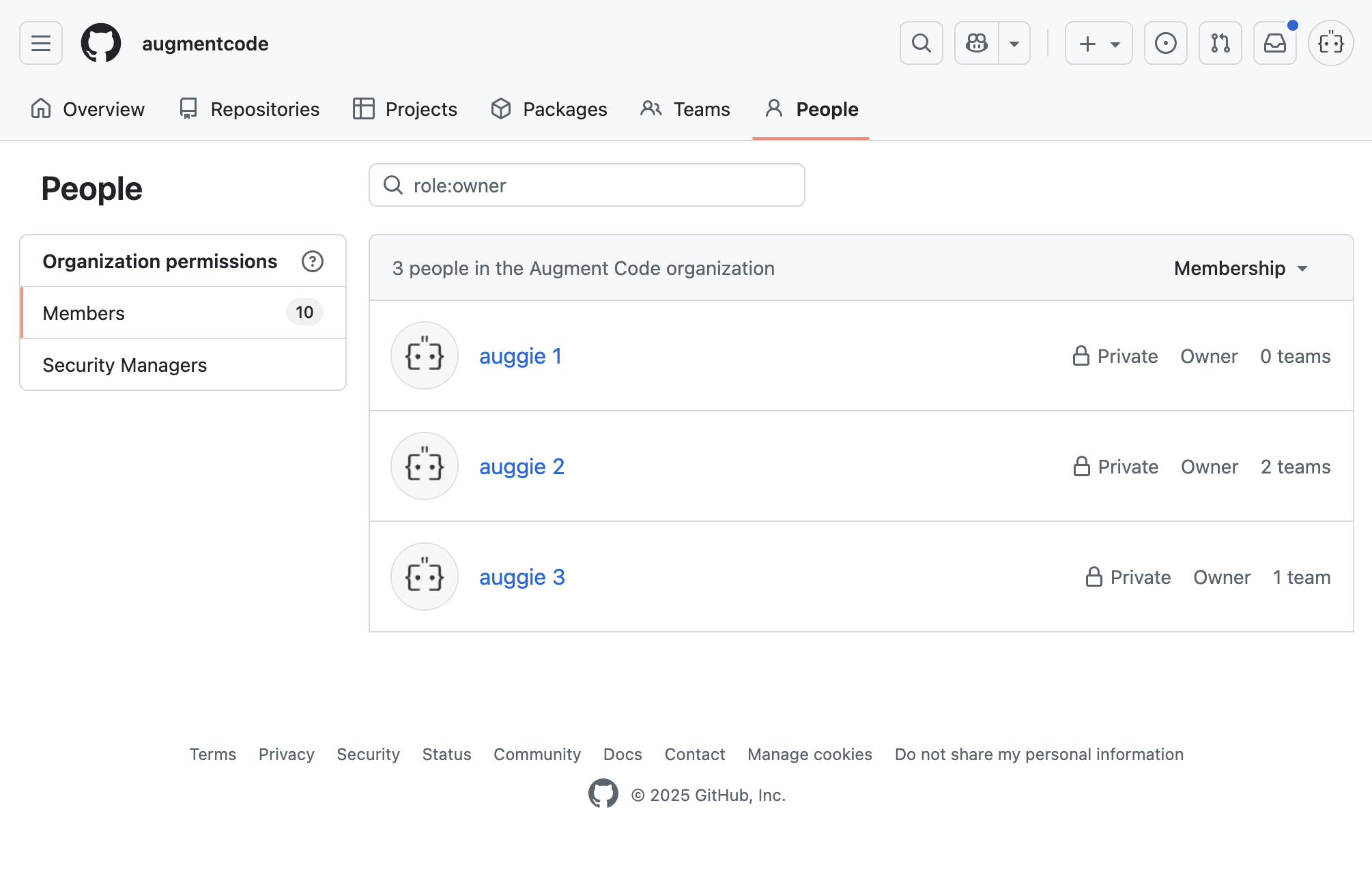
To install the Augment GitHub App, you will need to be an Administrator of your GitHub organization. To find who the Administrators are, visit your GitHub organization settings page and click on "People." Administrators are listed under "Owners."
You can modify repository access anytime in the Augment GitHub App settings.
To install the Augment GitHub App, you will need to be an Administrator of your GitHub organization. To find who the Administrators are, visit your GitHub organization settings page and click on "People." Administrators are listed under "Owners."
 If your firewall configuration, allowlist or network policy requires a static IP for this integration, please refer to our [static IP address](/setup-augment/static-ip-support#allow-augment-traffic-from-static-ips) documentation.
## Permissions
The Augment GitHub App requests the following permissions:
* Contents, read-only: Clone repositories
* Pull Requests, read and write: Read pull requests and post comments to pull requests
* Issues, read-only: Read top-level PRs / Issues
* Organization Members, read-only: Read members of an organization, to distinguish internal and external users and their access levels to Augment features
If your firewall configuration, allowlist or network policy requires a static IP for this integration, please refer to our [static IP address](/setup-augment/static-ip-support#allow-augment-traffic-from-static-ips) documentation.
## Permissions
The Augment GitHub App requests the following permissions:
* Contents, read-only: Clone repositories
* Pull Requests, read and write: Read pull requests and post comments to pull requests
* Issues, read-only: Read top-level PRs / Issues
* Organization Members, read-only: Read members of an organization, to distinguish internal and external users and their access levels to Augment features