> ## Documentation Index
> Fetch the complete documentation index at: https://docs.augmentcode.com/llms.txt
> Use this file to discover all available pages before exploring further.

# Install Augment for Slack

> Ask Augment questions about your codebase right in Slack.

export const Next = ({children}) => <div className="border-t border-b pb-8 border-gray dark:border-white/10">
    <h3>Next steps</h3>
    {children}
  </div>;

export const SlackLogo = () => <svg xmlns="http://www.w3.org/2000/svg" viewBox="0 0 127 127">
    <path fill="#E01E5A" d="M27.2 80c0 7.3-5.9 13.2-13.2 13.2C6.7 93.2.8 87.3.8 80c0-7.3 5.9-13.2 13.2-13.2h13.2V80zm6.6 0c0-7.3 5.9-13.2 13.2-13.2 7.3 0 13.2 5.9 13.2 13.2v33c0 7.3-5.9 13.2-13.2 13.2-7.3 0-13.2-5.9-13.2-13.2V80z" />
    <path fill="#36C5F0" d="M47 27c-7.3 0-13.2-5.9-13.2-13.2C33.8 6.5 39.7.6 47 .6c7.3 0 13.2 5.9 13.2 13.2V27H47zm0 6.7c7.3 0 13.2 5.9 13.2 13.2 0 7.3-5.9 13.2-13.2 13.2H13.9C6.6 60.1.7 54.2.7 46.9c0-7.3 5.9-13.2 13.2-13.2H47z" />
    <path fill="#2EB67D" d="M99.9 46.9c0-7.3 5.9-13.2 13.2-13.2 7.3 0 13.2 5.9 13.2 13.2 0 7.3-5.9 13.2-13.2 13.2H99.9V46.9zm-6.6 0c0 7.3-5.9 13.2-13.2 13.2-7.3 0-13.2-5.9-13.2-13.2V13.8C66.9 6.5 72.8.6 80.1.6c7.3 0 13.2 5.9 13.2 13.2v33.1z" />
    <path fill="#ECB22E" d="M80.1 99.8c7.3 0 13.2 5.9 13.2 13.2 0 7.3-5.9 13.2-13.2 13.2-7.3 0-13.2-5.9-13.2-13.2V99.8h13.2zm0-6.6c-7.3 0-13.2-5.9-13.2-13.2 0-7.3 5.9-13.2 13.2-13.2h33.1c7.3 0 13.2 5.9 13.2 13.2 0 7.3-5.9 13.2-13.2 13.2H80.1z" />
  </svg>;

export const GitHubLogo = () => <svg width="24" height="24" viewBox="0 0 15 15" fill="none" xmlns="http://www.w3.org/2000/svg">
    <path fill-rule="evenodd" clip-rule="evenodd" d="M7.49933 0.25C3.49635 0.25 0.25 3.49593 0.25 7.50024C0.25 10.703 2.32715 13.4206 5.2081 14.3797C5.57084 14.446 5.70302 14.2222 5.70302 14.0299C5.70302 13.8576 5.69679 13.4019 5.69323 12.797C3.67661 13.235 3.25112 11.825 3.25112 11.825C2.92132 10.9874 2.44599 10.7644 2.44599 10.7644C1.78773 10.3149 2.49584 10.3238 2.49584 10.3238C3.22353 10.375 3.60629 11.0711 3.60629 11.0711C4.25298 12.1788 5.30335 11.8588 5.71638 11.6732C5.78225 11.205 5.96962 10.8854 6.17658 10.7043C4.56675 10.5209 2.87415 9.89918 2.87415 7.12104C2.87415 6.32925 3.15677 5.68257 3.62053 5.17563C3.54576 4.99226 3.29697 4.25521 3.69174 3.25691C3.69174 3.25691 4.30015 3.06196 5.68522 3.99973C6.26337 3.83906 6.8838 3.75895 7.50022 3.75583C8.1162 3.75895 8.73619 3.83906 9.31523 3.99973C10.6994 3.06196 11.3069 3.25691 11.3069 3.25691C11.7026 4.25521 11.4538 4.99226 11.3795 5.17563C11.8441 5.68257 12.1245 6.32925 12.1245 7.12104C12.1245 9.9063 10.4292 10.5192 8.81452 10.6985C9.07444 10.9224 9.30633 11.3648 9.30633 12.0413C9.30633 13.0102 9.29742 13.7922 9.29742 14.0299C9.29742 14.2239 9.42828 14.4496 9.79591 14.3788C12.6746 13.4179 14.75 10.7025 14.75 7.50024C14.75 3.49593 11.5036 0.25 7.49933 0.25Z" fill="currentColor" />
  </svg>;

export const Command = ({text}) => <span className="font-bold">{text}</span>;

<Note>
  The Augment GitHub App is compatible with GitHub.com and GitHub Enterprise Cloud. GitHub Enterprise Server is not currently supported.
</Note>

## About Augment for Slack

Augment for Slack brings the power of Augment Chat to your team's Slack workspace. Mention <Command text="@Augment" /> in any channel or start a DM with Augment to have deep codebase-aware conversations with your team.

*To protect your confidential information, Augment will not include repository context in responses when used in shared channels with external members.*

## Installing Augment for Slack

### 1. Install GitHub App

<CardGroup cols={1}>
  <Card title="Install Augment GitHub App" href="https://github.com/apps/augmentcode/installations/new" icon={<GitHubLogo />} horizontal>
    Connect your GitHub repositories to Augment
  </Card>
</CardGroup>

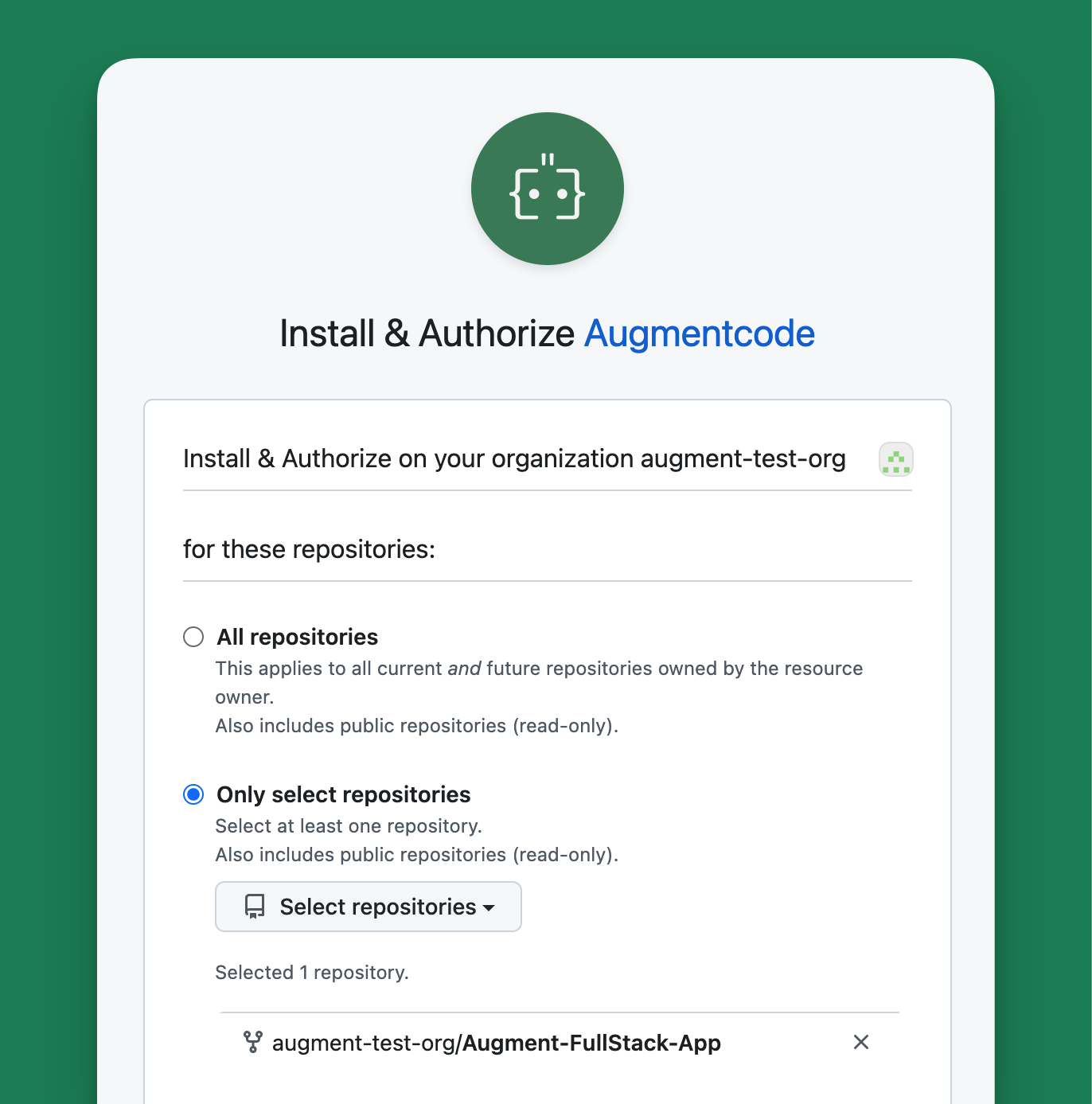
To enable Augment's rich codebase-awareness, install the Augment GitHub App and grant access to your desired repositories. We recommend authorizing only the repositories you want accessible to Augment Slack users.

<img className="block rounded-xl" src="https://mintcdn.com/augment-mtje7p526w/r-azeXhOS4FbEUi5/images/install-github-app.png?fit=max&auto=format&n=r-azeXhOS4FbEUi5&q=85&s=5e4084c99c0295b0f64244970b63b7c1" alt="Installing the GitHub app on a single repository" width="1372" height="1387" data-path="images/install-github-app.png" />

For details on permissions, troubleshooting, and who can install the app, see [Install Augment GitHub App](/setup-augment/install-github-app).

### 2. Install Slack App

<CardGroup cols={1}>
  <Card title="Install Augment for Slack" href="https://app.augmentcode.com/api/oauth/initiate?integration=slack&redirect=true" icon={<SlackLogo />} horizontal>
    Slack App for Augment Code
  </Card>
</CardGroup>

Once you have the GitHub App installed, install the Augment Slack App. You'll need an Augment account and correct permissions to install Slack apps for your workspace.

Any workspace member can use the Slack app once installed. Contact us if you need to restrict access to specific channels or users.

### 3. Add Augment to the Slack Navigation Bar

Make Augment easily accessible by adding it to Slack's assistant-view navigation bar:

1. Click your profile picture → **Preferences** → **Navigation**
2. Under **App agents & assistants**, select **Augment**

*Note: Each user can customize this setting in their preferences.*

<Next>
  [Using Augment for Slack](/using-augment/slack)
</Next>
