> ## Documentation Index
> Fetch the complete documentation index at: https://docs.augmentcode.com/llms.txt
> Use this file to discover all available pages before exploring further.
# Applying code blocks from Chat
> Use Chat to explore your codebase, quickly get up to speed on unfamiliar code, and get help working through a technical problem.
export const MoreVertIcon = () => ;
export const CheckIcon = () => ;
export const FileNewIcon = () => ;
export const FileCopyIcon = () => ;
 ## Using code blocks from within Chat
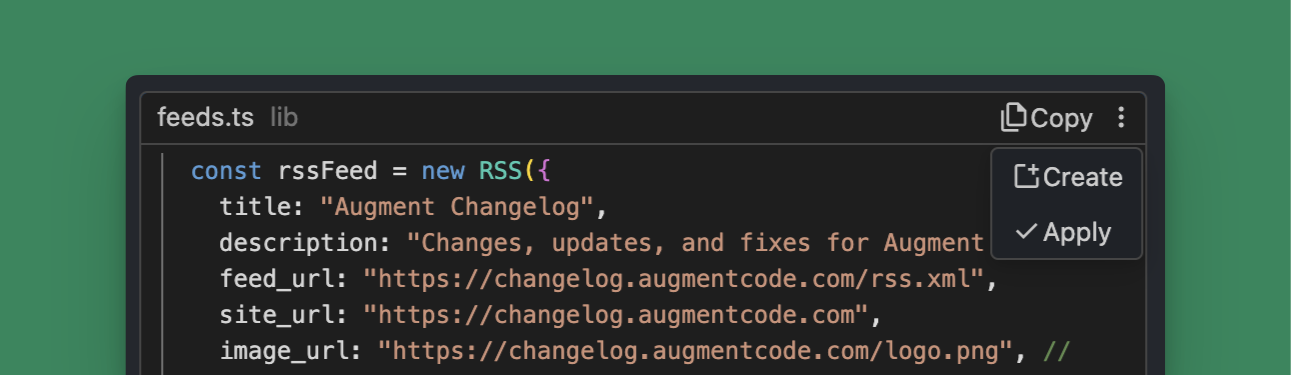
Whenever Chat responds with code, you will have the option to add the code to your codebase. The most common option will be shown as a button and you can access the other options by clicking the overflow menu iconat the top-right of the code block. You can use the following options to apply the code:
* **Copy**
the code from the block to your clipboard
* **Create**
a new file with the code from the block
* **Apply**
the code from the block intelligently to your file
## Using code blocks from within Chat
Whenever Chat responds with code, you will have the option to add the code to your codebase. The most common option will be shown as a button and you can access the other options by clicking the overflow menu iconat the top-right of the code block. You can use the following options to apply the code:
* **Copy**
the code from the block to your clipboard
* **Create**
a new file with the code from the block
* **Apply**
the code from the block intelligently to your file