

Introduction
You just entered an Enterprise Agreement with Augment Code, and are looking to configure your dedicated tenant as an admin. In this guide we’ll cover the Cosmos admin checklist and the common questions to help you get started quickly.Checklist
1. Identity: the first admin + primary domains
Augment staff will ask you to provide the email address of the first admin to be onboarded. This admin will become the first user and admin of your dedicated tenant, and later will be able to self-add more users and configure SSO. Augment staff will also ask you to provide the primary domains your users will be using in their email addresses. As an admin you’ll be able to self-provision users matching any of those domains tied to your tenant.2. Identity: SSO
You’ll want to enforce SSO for all your users on your tenant. Augment staff will ask you which SSO and will guide you on next steps.- Config steps for Okta
- Config steps for EntraID 🚧
3. Identity: provisioning / SCIM
Once SSO is configured, you’ll want to provision users and groups from your identity provider/directory into your tenant. Cosmos admins can self-service add/remove users and promote/demote them to/from admin via https://cosmos.augmentcode.com/account/team. From that view admins can also allow-list or block-list access to Cosmos.Augment will soon rollout support for SCIM for users/user attributes/groups/group membership, so you’ll be able to automatically provision and deprovision users/groups from your Okta, EntraID, Sailpoint etc. - stay tuned!
4. Identity: audit logs
🚧5. Status page and trust center
You can access Augment’s status page via https://status.augmentcode.com/ You can access Augment’s security/audit documents via https://trust.augmentcode.com/6. Models - governance
Controlling what frontier models are available
You can allow-list/block-list access to models based on their data retention policy via https://app.augmentcode.com/models/data-retention You can restrict the list of models further in the “User model selection” section in https://app.augmentcode.com/models/allowlist. In the “Default model override” section you can choose a given model to be preselected (if the user starts a session without an expert).ONLY FOR EU TENANTSYou can optionally enforce EU-inference-only via https://app.eu.augmentcode.com/models/eu-inference, so Cosmos only surface models that will perform inference in EU regions
BYOK
If you have an Enterprise Agreement with Anthropic, OpenAI, AWS or GCP and you’d like to bring your own API keys to perform inference for given families of frontier models, you can do so in https://app.augmentcode.com/models/byok When BYOK is enabled for given models, you’ll be able to tell the token costs associated with BYOK models vs when Augment performs the inference via https://cosmos.augmentcode.com/analytics?tab=costBudgets
You can optionally assign budgets to your users, manually via https://app.augmentcode.com/organization-dashboard (Budget tab > Edit budget) or programmatically via the Analytics REST API (see POSTanalytics/v0/set-user-budget-overrides). Both soft limits and hard limits can be configured.
You can also assign usage limits for headless automations via https://cosmos.augmentcode.com/usage-limits
Tracking cost and usage
Admins can track costs and usage:- manually via https://cosmos.augmentcode.com/analytics?tab=cost (suggestion: use Primary Breakdown = User and Secondary Breakdown = Resource):
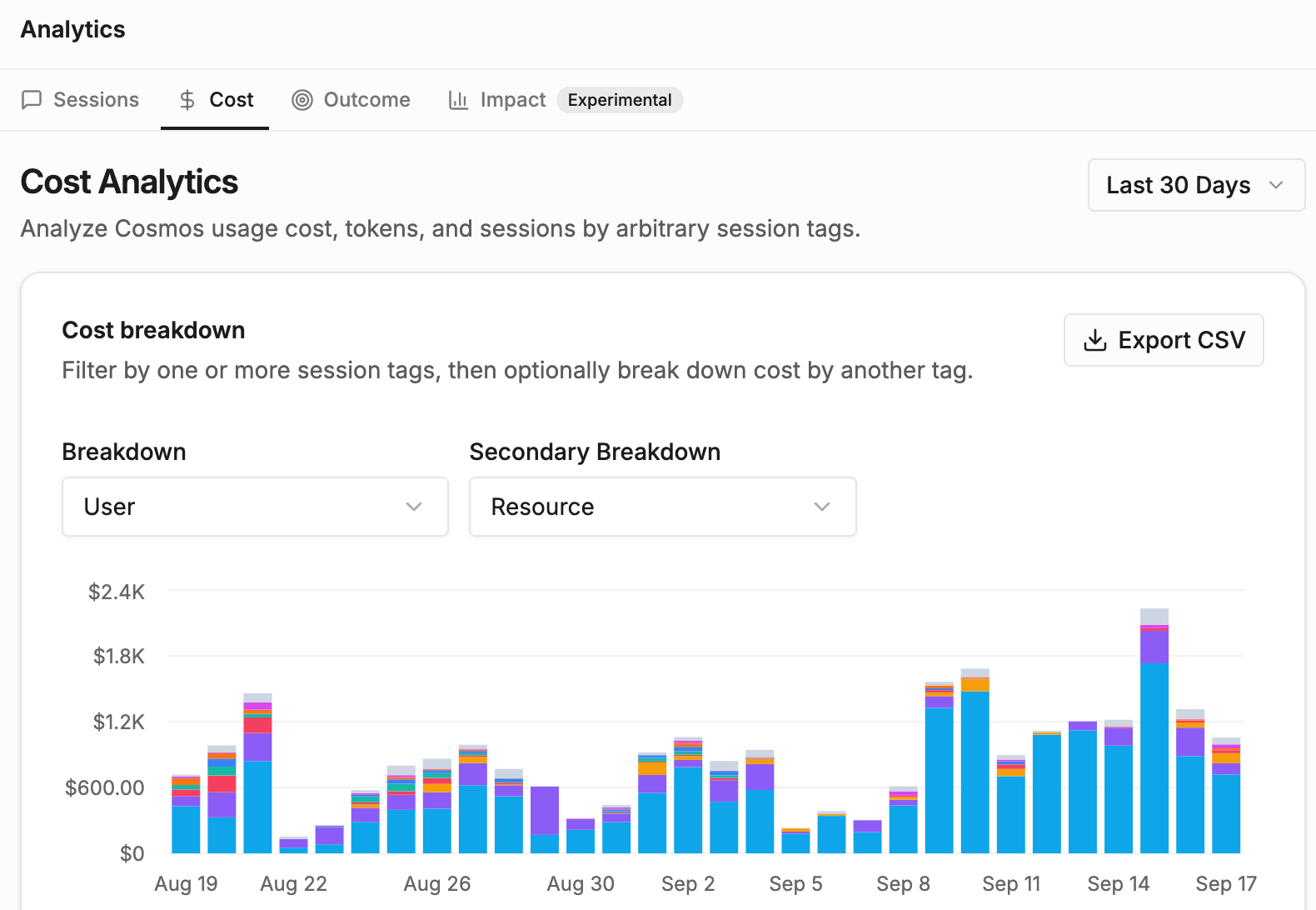
- and programmatically via POST /analytics/v0/cost-analytics
7. Cosmos settings
Connectivity to your tech stack
As an admin you’ll then focus on one-time connecting Cosmos to your tech stack: your git repos, your ticketing system, your collab apps (Slack/Teams) etc. 🚧 Once one-time connectivity is established, users will be able to configure their software factory, deploy and use their Cosmos experts.Managing resources
Cosmos offers multiple controls to help with your rollout across several teams, including:- Spaces to group the experts, environments, sessions, and settings for a team or workstream so everyone works from a shared, focused set of resources.
- Groups via https://cosmos.augmentcode.com/account/groups: organize people into groups to share experts, environments, and other resources with everyone at once.
Additional settings and access controls are regularly added by Cosmos - stay tuned!