Quick Start with AntiGravity

1. Install Auggie CLI (Pre-release version)

npm install -g @augmentcode/auggie@prerelease

2. Sign in to Augment

auggie login
This will open a browser window for authentication.

3. Configure the MCP server in AntiGravity

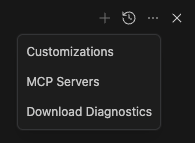
  • Click the MCP server icon MCP server icon
  • Click manage MCP server Manage MCP server
  • Click View raw config View raw config
Paste this configuration. Update the /path/to/your/project.
{
  "mcpServers": {
    "augment-context-engine": {
      "command": "auggie",
      "args": [
        "--mcp",
        "-m",
        "default",
        "-w",
        "/path/to/your/project"
      ]
    }
  }
}

4. Test the integration

Prompt : "What is this project ? Please use codebase retrieval tool to get the answer."
AntiGravity should confirm it has access to the codebase-retrieval tool. AntiGravity test