Quick Start with OpenCode

1. Install Auggie CLI (Pre-release version)

npm install -g @augmentcode/auggie@prerelease

2. Sign in to Augment

auggie login
This will open a browser window for authentication.

3. Configure the MCP server in OpenCode

  • Go to Folder: ~/.config/opencode/
  • Create a file named: opencode.json
Paste this configuration:
{
  "$schema": "https://opencode.ai/config.json",
  "mcp": {
    "augment-context-engine": {
      "type": "local",
      "command": ["auggie", "--mcp"],
      "enabled": true
    }
  }
}

4. Test the integration

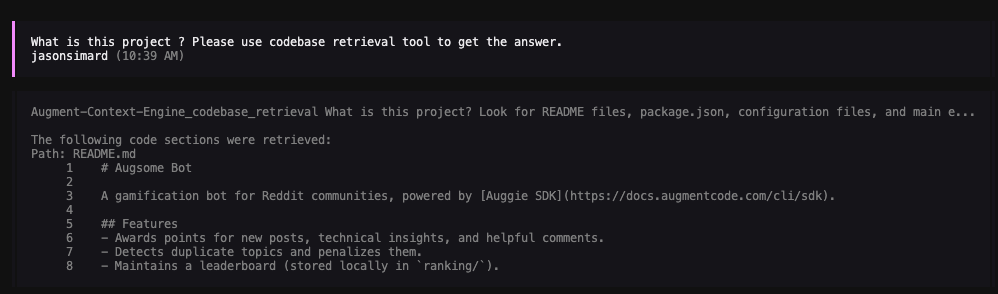
Prompt : "What is this project ? Please use codebase retrieval tool to get the answer."
OpenCode should confirm it has access to the codebase-retrieval tool. OpenCode test

Advanced: Non-Interactive Setup

For non-interactive environments like CI/CD pipelines, GitHub Actions, or automated scripts where you cannot run auggie login interactively, you can configure authentication using environment variables.

1. Get your authentication token

auggie token print
This will output something like:
TOKEN={"accessToken":"your-access-token","tenantURL":"your-tenant-url","scopes":["read","write"]}
Copy the accessToken value (the long string after "accessToken":") and the tenantURL value.

2. Configure with environment variables

Add the env section to your configuration:
{
  "$schema": "https://opencode.ai/config.json",
  "mcp": {
    "augment-context-engine": {
      "type": "local",
      "command": ["auggie", "--mcp"],
      "enabled": true,
      "env": {
        "AUGMENT_API_TOKEN": "your-access-token",
        "AUGMENT_API_URL": "your-tenant-url"
      }
    }
  }
}
Replace your-access-token and your-tenant-url with the values from step 1.